01
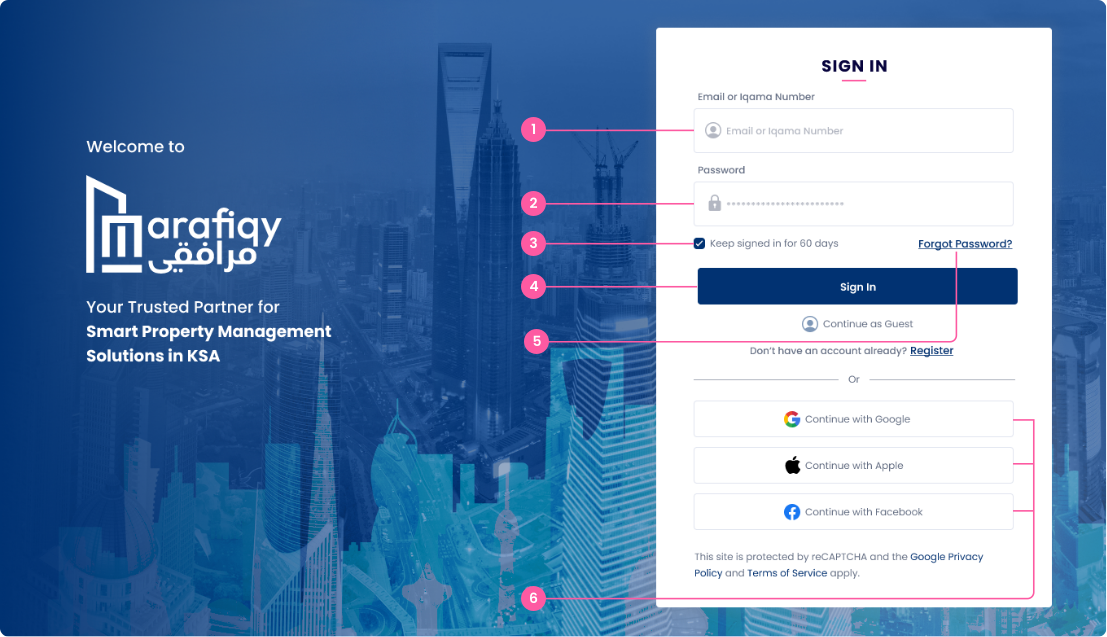
Email or Iqama Number
Enter your registered email address or Iqama number (Saudi residence ID).
Follow the steps below to complete this action inside Marafiqy.
Enter your registered email address or Iqama number (Saudi residence ID).
Enter your password associated with your Marafiqy account.
Tick this box if you want to stay logged in for 60 days without re-entering credentials.
Click to log in after entering your credentials
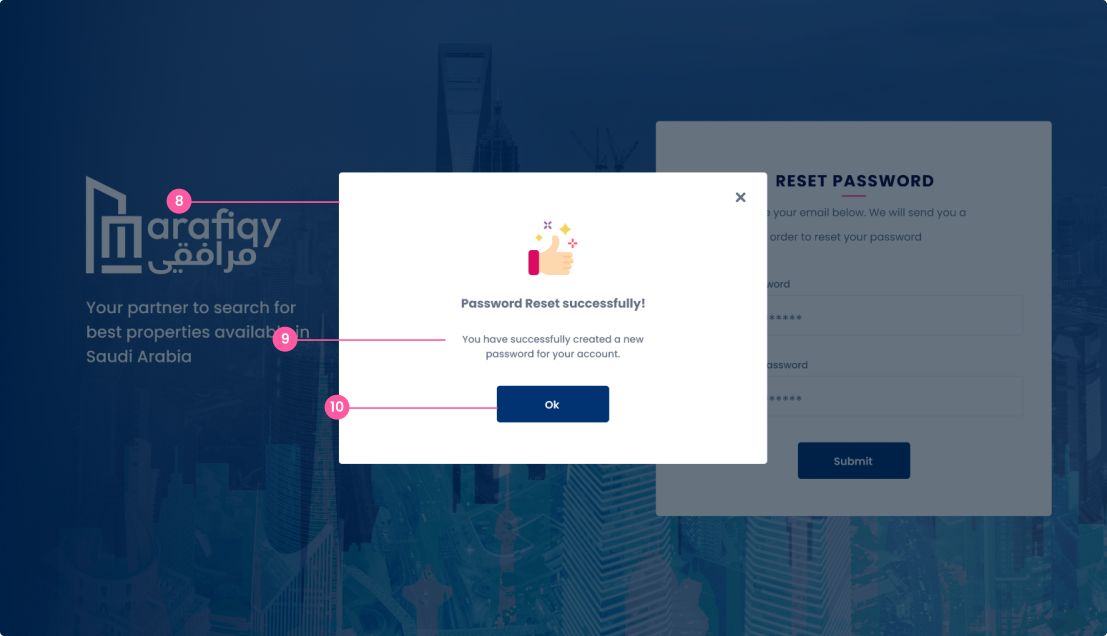
Click if you forgot your password. It will guide you to reset it.
You can also sign in using: Google, Apple, Facebook