01
Enter Your Email
Type in the email address associated with your Marafiqy account in the Email input field.
Follow the steps below to complete this action inside Marafiqy.
Type in the email address associated with your Marafiqy account in the Email input field.
Press the Send Code button. The system will send a 6-digit OTP to the provided email.

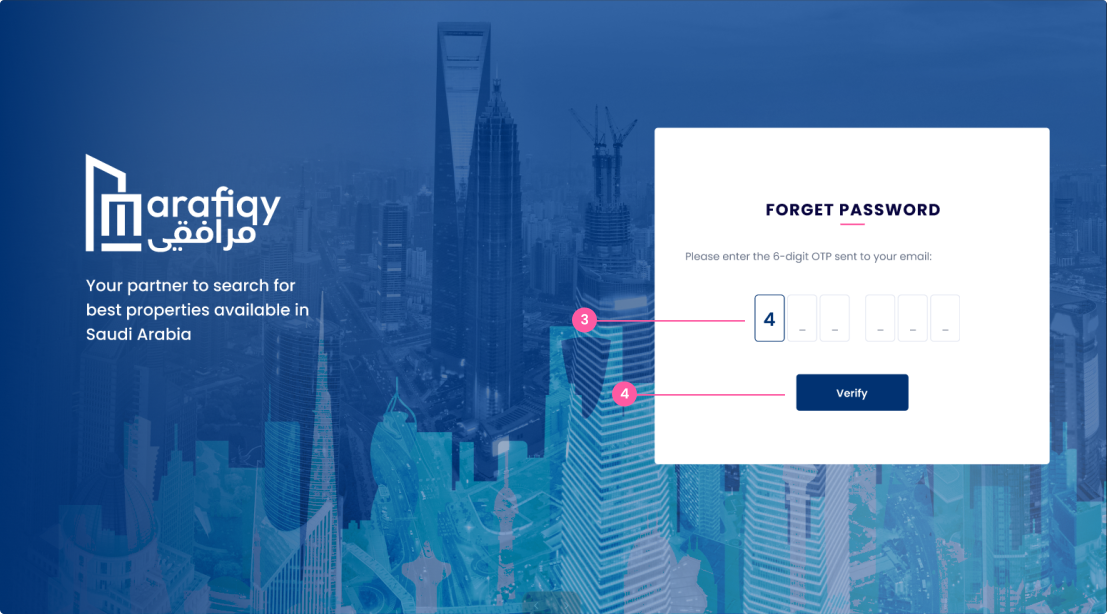
Retrieve the 6-digit OTP from the email sent to you and input the digits into the 6 available boxes, one by one.
Once all 6 digits are entered, click the Verify button.
Type your new password into the Type New Password field.
Type your new password again into the Confirm New Password field.
Once the two passwords match, click the Submit button to finalize the password reset process.

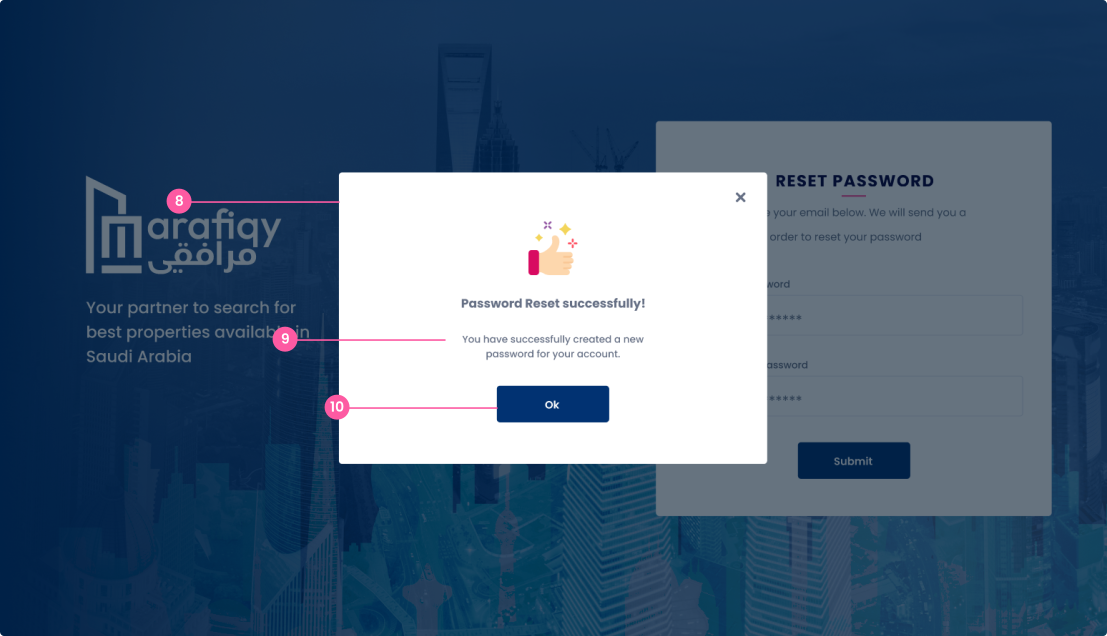
Once the user has successfully submitted the new password, this confirmation popup appears.
The user will see a message confirming the successful password reset.
Click the Ok button to return to the login page.