01
Access the Update Profile Screen
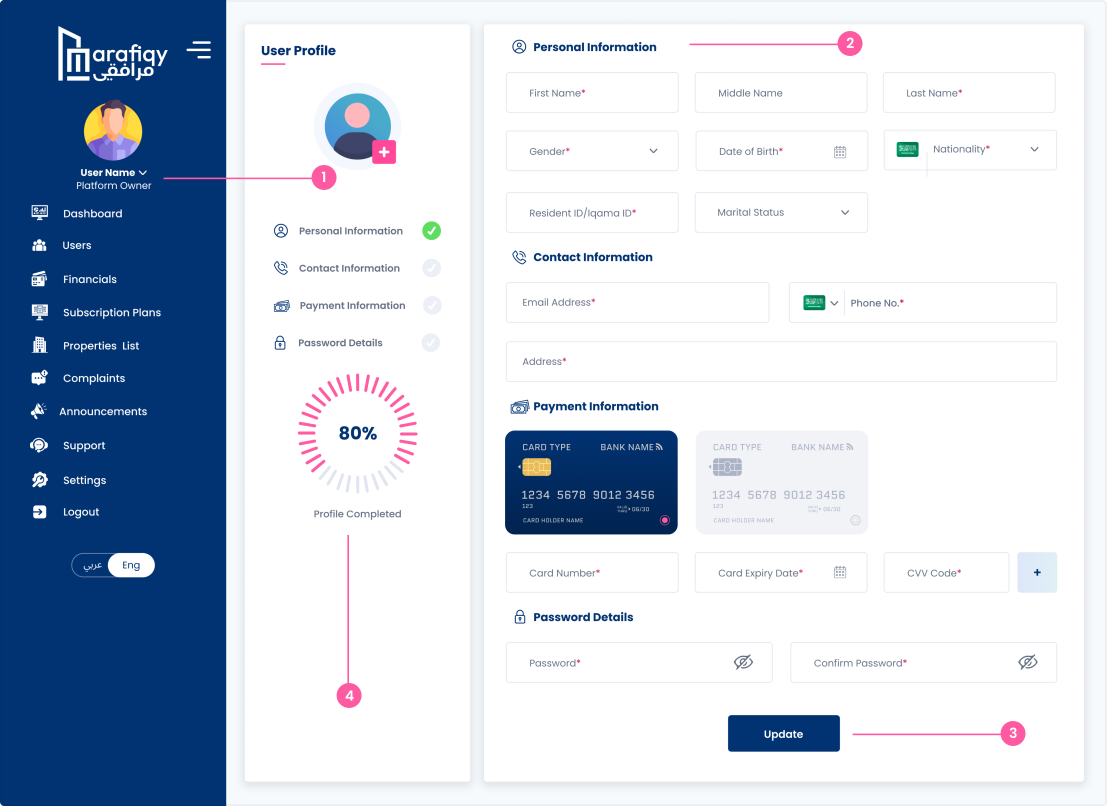
Click on the profile icon or username in the sidebar to open the Update Profile screen.
Follow the steps below to complete this action inside Marafiqy.
Click on the profile icon or username in the sidebar to open the Update Profile screen.
Fill in or update any personal, contact, payment, or password information as needed.
Once you've updated the information, click the Update button at the bottom of the page to save your changes.
Once you've updated the information, click the Update button at the bottom of the page to save your changes.
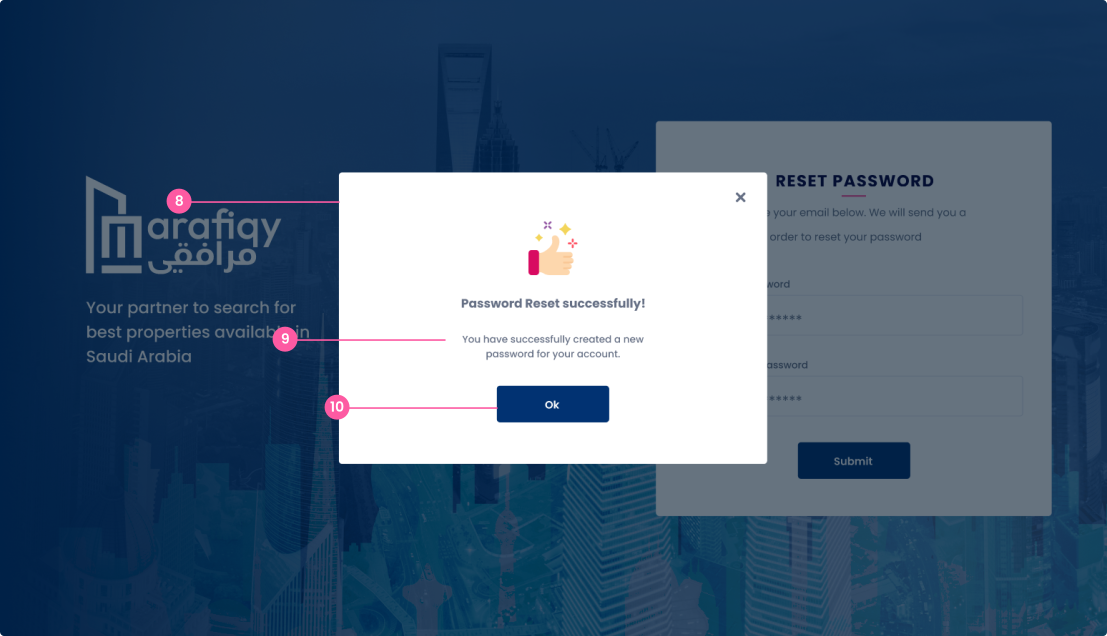
A pop-up confirmation appears, notifying the user that their profile has been updated successfully.
Click the Ok button to close the confirmation message and continue using the platform.